Your systems should pass data to each other, not to your staff.
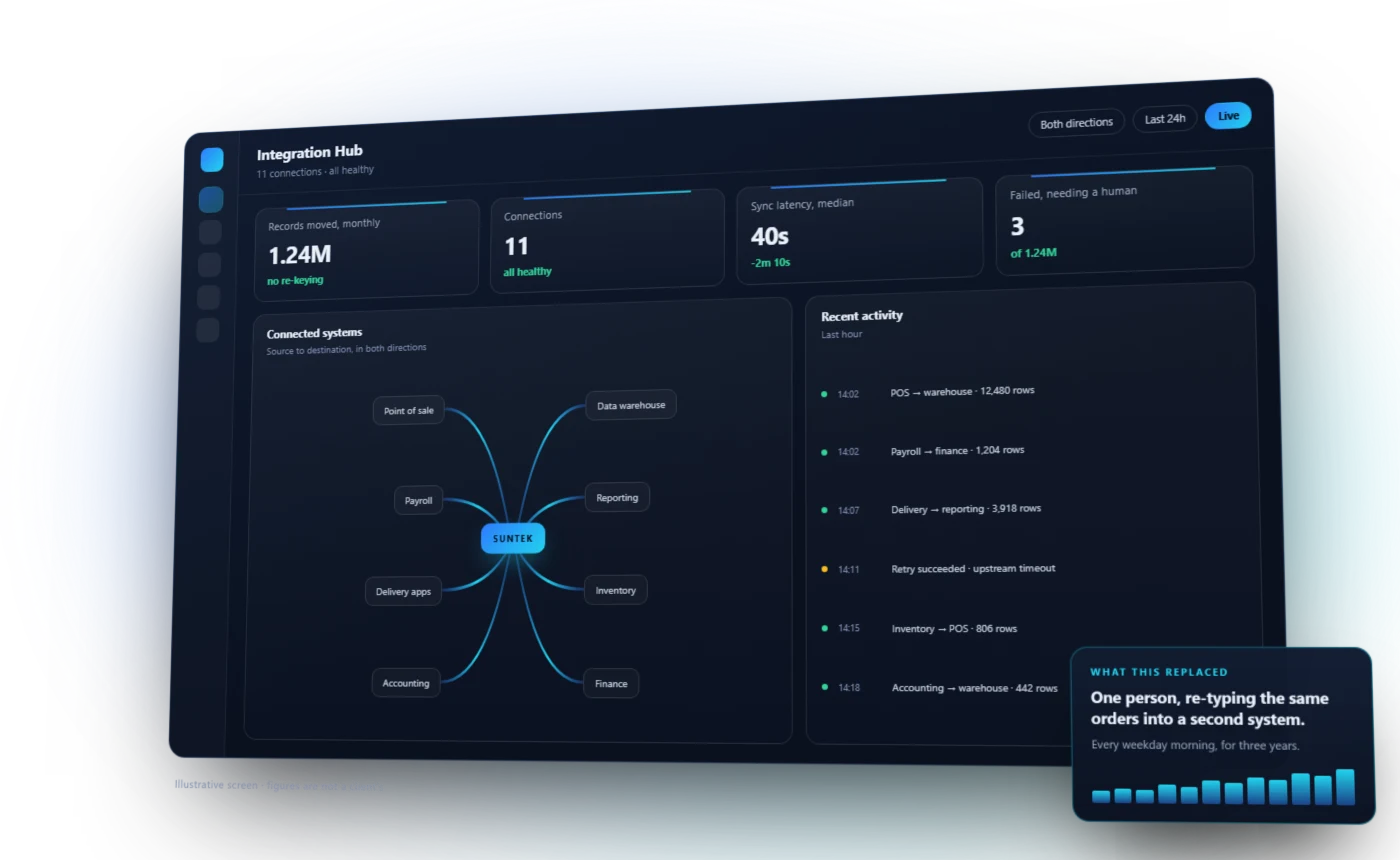
When systems do not connect, people become the integration. The same numbers get typed twice, exports get emailed around, and errors surface somewhere nobody is watching. Since 2006, Suntek has built and operated connections across point of sale, payroll, accounting, scheduling, delivery, reporting and custom systems. We define the source of truth, encode the business rules and keep failures visible so data can move without losing accountability.
- The problem
- Your systems do not talk. Your people carry information between them, then spend more time finding where it stopped or changed.
- What changes
- Information enters once and reaches the systems that need it, with reconciled totals and visible exceptions instead of silent gaps.
- How Suntek works
- We map who owns each field, build the connection as production software and monitor the vendor changes and failures that happen after launch.
Trusted by names you know











Clients and systems include Five Guys, Yoshinoya, Café Zupas, Casa Do Brasil, Arby's, Carvertise, Tosoh Quartz, Delivered Dish, Units Storage, PAR Technology, Brink POS.
You probably recognise
- The same information entered into two systems every day.
- A weekly export-and-reformat ritual somebody owns.
- Two systems that disagree, and no obvious way to tell which is right.
- A platform you would like to adopt but cannot, because nothing talks to it.
Moving the data is only the beginning.
An integration is production software. It needs a clear source of truth, explicit business rules, secure access, visible failures and somebody responsible when a vendor changes the interface.
Move and shape the data
- Real-time and scheduled sync
- Move information at the pace the decision or workflow requires, rather than defaulting everything to a nightly batch.
- Normalize the model
- Translate different names, identifiers and structures into one dependable version the business can use.
- One-way or two-way
- Design direction and ownership deliberately so two systems do not keep overwriting each other's truth.
- History and backfill
- Bring forward the prior records needed for reporting, reconciliation and continuity, not just tomorrow's transactions.
Connect the interfaces
- REST, SOAP and GraphQL
- Work with modern and established APIs without treating an older interface as a reason to replace the whole system.
- Databases and warehouses
- Read, write and consolidate structured data with boundaries that protect the systems of record.
- Files and secure transfer
- Automate CSV, fixed-format, spreadsheet and SFTP exchanges when that is the interface a critical system actually supports.
- Events and webhooks
- React when something changes so downstream work starts when it should, not when somebody remembers to run it.
Run the business workflow
- POS and payroll
- Carry sales, labor, job and tip information into the processes that close a pay period.
- Delivery and ordering
- Bring orders, fees, adjustments and fulfillment events back into the operating picture.
- Inventory and finance
- Connect movement and transactions to the systems responsible for cost, accounting and reconciliation.
- People and customer systems
- Keep scheduling, HR, CRM, loyalty and communications aligned without another round of re-entry.
Keep it trustworthy
- Authentication and secrets
- Use the vendor's supported security model and keep credentials out of browsers, files and manual operating steps.
- Validation and reconciliation
- Prove that records arrived completely and that totals agree before downstream work trusts them.
- Retries and recovery
- Handle temporary failures without duplicating transactions or requiring somebody to reconstruct the sequence.
- Monitoring and alerts
- Make a broken or drifting connection visible with enough context for the right person to act.
The useful connection is the one that removes a real operating step.
These are recurring patterns, but the source of truth and the failure consequences are mapped for each business before anything moves.
Point of sale to payroll
Carry time, job and tip information into a reviewed payroll export so the pay-period process stops being rebuilt by hand.
Delivery platforms to reporting
Consolidate orders, adjustments, fees and payouts from separate marketplaces into the same view as direct sales.
Inventory across channels
Keep availability and product data aligned between the operating system, ordering channels and back-office tools.
CRM to the rest of the business
Connect customer and opportunity events to fulfillment, finance and communication workflows so teams stop passing updates manually.
Modern API or legacy database, the job is the same.
Understand what the system owns, use the interface it actually provides, and protect the business when it is unavailable or changes.
- Point of sale
- Payroll
- Accounting
- Scheduling and HR
- CRM
- Delivery and ordering
- Inventory
- Loyalty and rewards
- Cloud platforms
- Data warehouses
- Legacy systems
- Custom in-house tools
How the work runs
Map what moves
We follow the data through the business first: what is entered, where it goes, and who fixes it when it is wrong.
Connect the systems
Built against real interfaces, with the failure cases handled, so a connection that breaks is visible rather than silent.
Keep it honest
Integrations drift when a vendor changes an interface. We monitor and maintain what we connect.
Which two systems are costing you the most?
Name them and we will tell you what connecting them would involve.