Take the repeat work out of the week.
Repeated work consumes capable people and hides risk in routines that only one person understands. Since 2006, Suntek has built business systems around how work actually moves. We map the process before choosing a tool, use conventional automation for deterministic steps and apply AI only where it improves the result. The test is whether the work gets easier, stays correct and remains understandable after it goes live.
- The problem
- The same work repeats every week. People copy, check, route and chase information because the process has no dependable path of its own.
- What changes
- Routine work moves consistently, exceptions reach the right person and experienced judgment stays focused on the decisions that need it.
- How Suntek works
- We map the real process, automate the smallest valuable path, prove it beside the current method and keep every exception reviewable.
Trusted by names you know











Clients and systems include Five Guys, Yoshinoya, Café Zupas, Casa Do Brasil, Arby's, Carvertise, Tosoh Quartz, Delivered Dish, Units Storage, PAR Technology, Brink POS.
Good candidates look like
- A task done the same way every week by a person following rules.
- Manual data entry that exists only because two systems do not connect.
- Approvals and handoffs that stall because nobody is told they are waiting.
- Work that is currently accurate only because one experienced person is careful.
A working process, not a disconnected demo.
Useful automation handles the ordinary path, makes exceptions obvious and leaves people able to inspect and correct what happened. The design includes the workflow around the technology, not just the step a tool can perform.
Understand and control the flow
- Workflow mapping
- Follow the work from the first trigger through every decision, handoff, system and exception before choosing what to automate.
- Rules and triggers
- Start the right action from an event, schedule or approved condition, with the business rule written somewhere the team can inspect.
- Approvals and handoffs
- Route work with its context attached, show who owns the next step and make stalled items visible before somebody has to chase them.
- Exception queues
- Separate the cases that need judgment from the routine path so unusual work gets attention without stopping everything else.
Move the information
- Cross-system workflows
- Carry approved data between the systems already in use without another round of copying, exporting or reformatting.
- Documents and forms
- Turn structured intake, attachments and generated documents into one traceable process rather than an email chain.
- Notifications and scheduling
- Tell the right person when something genuinely needs attention and schedule predictable work without depending on memory.
- Reconciliation and delivery
- Confirm that totals and records agree before producing the file, report or downstream action the process depends on.
Use AI where it earns a role
- Extraction and classification
- Read variable documents or messages and propose structured information for a person or rule to verify.
- Summaries and drafts
- Prepare a useful first pass from the business context while keeping the source material available for review.
- Assisted decisions
- Surface patterns, options or anomalies from real operating data without pretending a model owns the final judgment.
- Human checkpoints
- Require approval where uncertainty, financial impact, customer communication or policy makes automatic action inappropriate.
Operate it safely
- Audit history
- Record what ran, which input it used, what changed and who approved an exception so the result can be explained later.
- Access and secrets
- Give the workflow only the permissions it needs and keep credentials out of browsers, spreadsheets and manual instructions.
- Retries and recovery
- Handle temporary failures without repeating financial or customer-facing actions, and provide a controlled way to resume.
- Monitoring and measurement
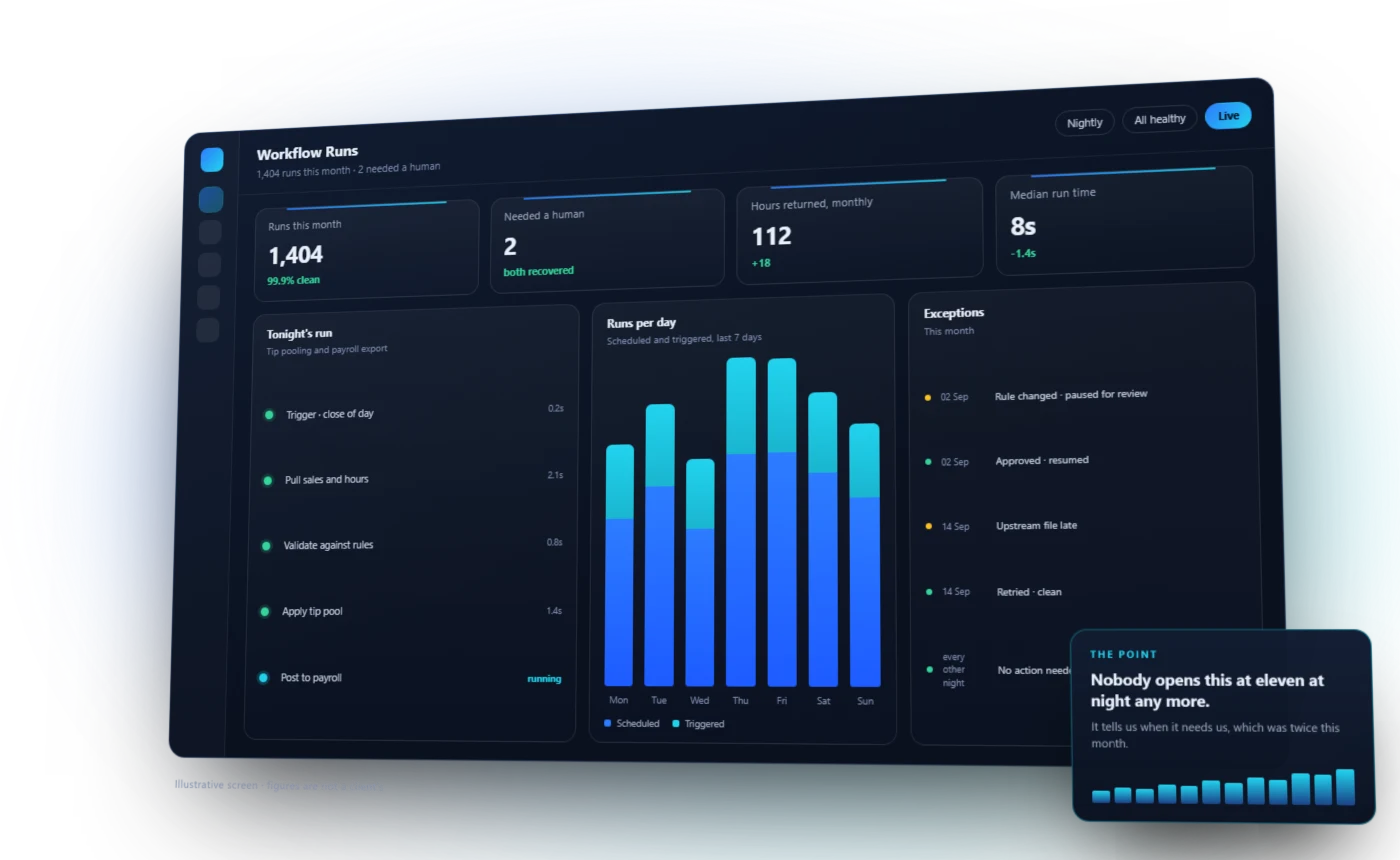
- Make failed, delayed and unusual runs visible, then compare the new process with the time, errors and backlog it was meant to reduce.
Start with a recurring cost the business can see.
The first automation should solve an ordinary, expensive piece of work and make its result easier to verify. These are common patterns, not a fixed product menu.
Prepare a pay period
Collect time, job, sales and tip data, apply approved rules, flag exceptions and produce a reviewed export without rebuilding the spreadsheet each cycle.
Triage incoming work
Capture a request once, identify the information it contains, route it to the right owner and keep the requester informed as its status changes.
Move an approval forward
Carry the record and supporting context through each decision, remind the current owner and preserve a clear history of what was approved.
Turn a signal into action
Watch an operating measure, notify the responsible person and create the follow-up when it crosses an agreed boundary.
Automation should connect the tools your team already trusts.
The workflow can begin or end in an existing system. The goal is a dependable path through the work, not another isolated automation console.
- Point of sale
- Payroll
- Accounting
- CRM
- Scheduling and HR
- Email and messaging
- Forms and documents
- Reporting and alerts
- Delivery platforms
- Inventory
- Legacy databases
- Custom applications
How the work runs
Automate the right step
We look for the step that actually costs time, not the one that is easiest to automate.
Keep a person where judgment belongs
Automation should remove the repetition, not the oversight. Exceptions stay visible and reviewable.
Prove it before it is trusted
New automation runs alongside the existing process until the results agree.
What does your team do every single week?
That is usually where the first hour comes back. Tell us what it is.